
Commercial access control systems are the technology that determines who can enter a building, a floor, or a specific room. Whether you’re managing office access control or security across multiple locations, if you've ever used a key card to enter an office, you've used one.
In this guide, we'll walk you through how these systems work, what they're made of, the seven key benefits they deliver, and how to choose the right one for your business.
Understanding the fundamentals of access control
The definition of an access control system
An access control system is a security solution that manages and monitors entry to physical spaces.
Rather than relying on traditional locks and keys, these systems use electronic credentials to verify identity. The most common examples are key cards, PINs, or biometrics.
In a commercial context, this means a business can control who goes where and track movement throughout a facility. If a credential is lost or someone leaves the company, access can be revoked instantly.
The importance of access control for businesses
Physical security is often the first line of defense for a business. An unauthorized person entering a server room, warehouse, or executive area can cause serious financial, operational and reputational damage.
Beyond preventing intrusions, business access control systems
- Support compliance with role-based access for staff, contractors, and visitors
- Streamline operations with time-based access, such as cleaning during off-hours
- Provide real-time visibility of who accessed which areas and when
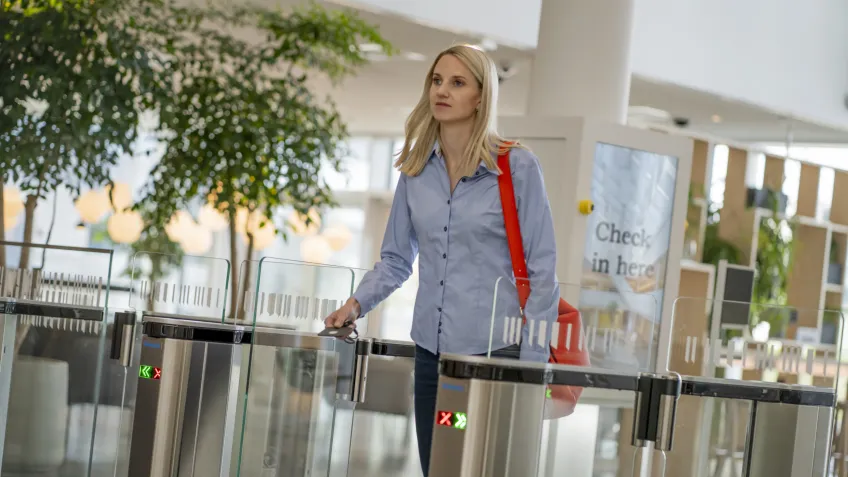
- Enable faster response to incidents such as forced entry or tailgating
Security teams get the visibility they need to act quickly when something goes wrong.
The difference between commercial and residential systems
Residential access control is built for simplicity: one household, a handful of users, a few entry points. Commercial access control systems operate on a completely different scale.
A commercial building access control system manages dozens or hundreds of users across multiple entry points, with layered permission structures for staff, contractors and visitors. It also needs to integrate with other security systems, generate audit logs, and meet compliance requirements.
Components of a commercial access control system
A commercial access control system isn't a single device. It's an ecosystem of hardware and software that work together. Here are the four core components you'll find in most installations:
- Credentials
These are what users present to prove their identity. Credentials can take many forms: key cards or fobs, PINs, mobile apps, or biometric data such as fingerprints or face scans.
The type of credential you choose affects both the security level and ease of use. Modern systems often support multiple credential types on the same infrastructure. For enhanced security, many organizations require two forms of verification, such as a card and a PIN, before granting access.
- Card readers
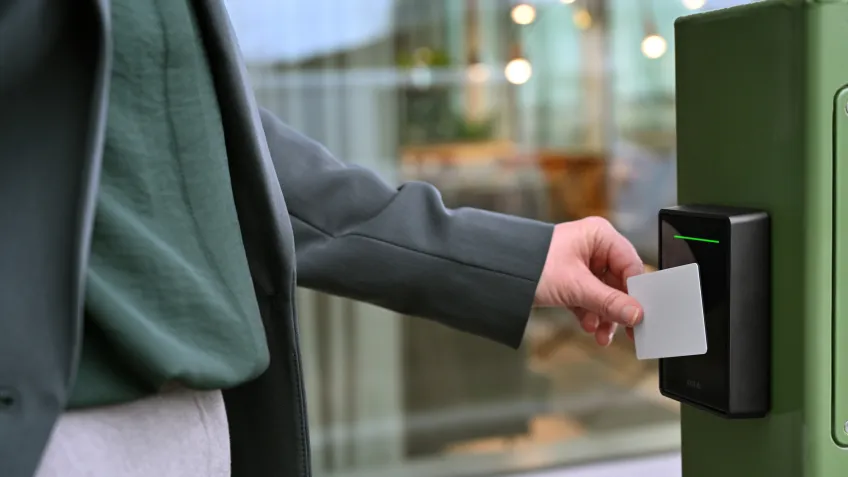
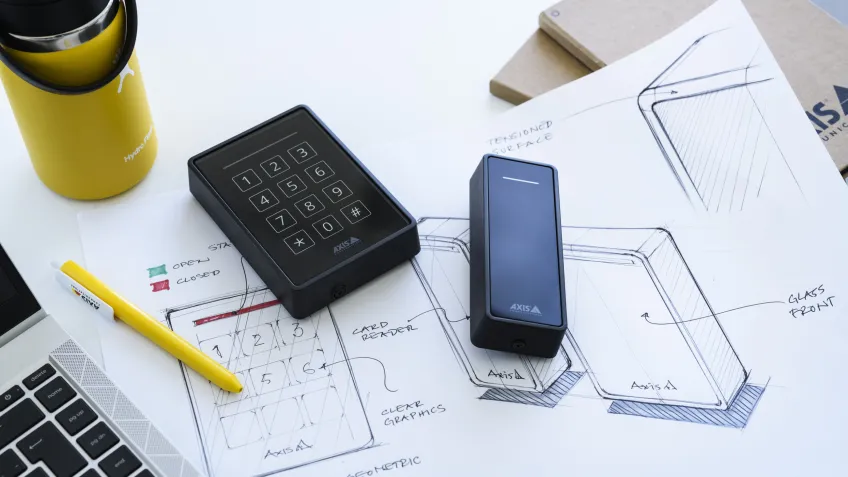
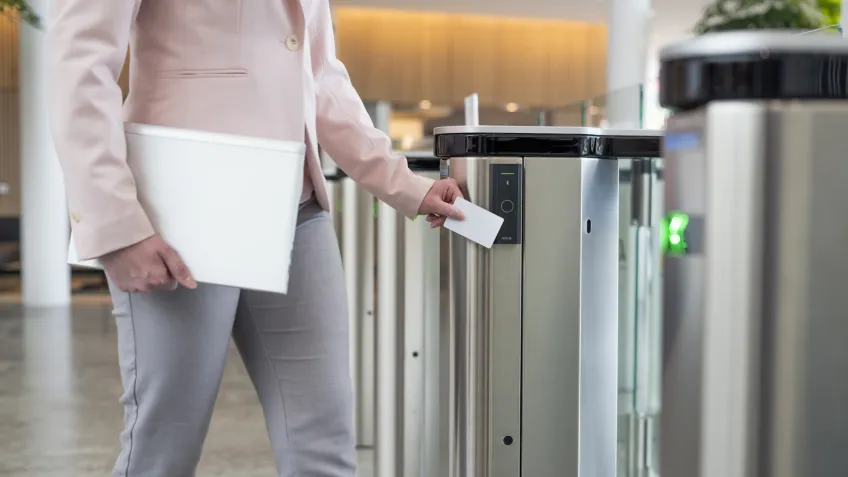
Readers are the hardware units mounted at entry points that read and validate credentials. When a user presents a card or phone, the reader communicates with the I/O module to determine whether access should be granted.
The quality and range of a reader affect both the security and user experience, particularly in high-traffic environments such as office lobbies.
- Network door controllers
The I/O module is the brain of the system. It receives the signal from the card reader and answers two core questions: who is this person, and what are they authorized to do?
Authentication confirms identity; authorization determines access. Based on the rules defined in the software, it then sends instructions to lock or unlock the door.
In larger installations, multiple I/O modules may be networked together to manage an entire facility from a single platform.
- Network I/O relay modules
These extend the functionality of your access control system by connecting it to other security infrastructure. They are particularly useful for integration with intrusion detection and alarm systems, enabling different parts of your security setup to work together.
- Management software
This is where administrators configure permissions, add or remove users, review access logs, and respond to security events. For operators, it’s also the tool that simplifies day-to-day workflows: setting up access rules, automating schedules, and maintaining a clear overview.
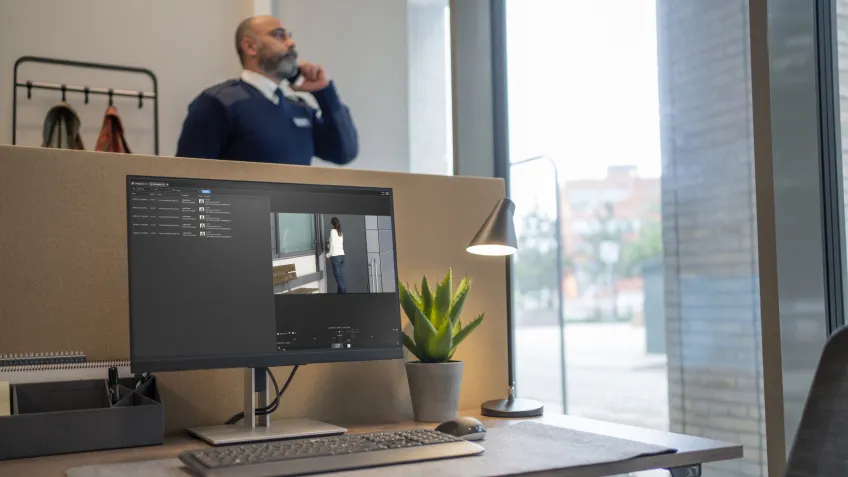
Good access control software provides real-time visibility across your facility. AXIS Camera Station Secure Entry integrates with your daily operations, making it easy to update permissions, automate routine tasks, and keep everything running smoothly.
For organizations already using a video management system, partner integrations are available. This includes Milestone XProtect, which enables your access control and video surveillance to work as a single coordinated system.
7 benefits of a commercial access control system
1. Enhance your building’s security
A commercial access control system protects people, assets, data and facilities by controlling who can access which areas and when.
Replacing physical keys with electronic credentials immediately raises your security baseline. Keys can be copied, lost, or stolen, whereas a deactivated credential is instantly worthless.
You can revoke access in seconds and set time-restricted permissions, all without changing a single lock.
The system also reduces the risk of theft, vandalism, espionage, and workplace violence. In a critical situation, real-time lockdown capabilities let you secure an entire building from a central console in seconds. More advanced configurations add further layers of protection. Anti-passback prevents credential sharing, and the two-person rule requires two authorized users to present credentials before access is granted.
2. Streamline employee and visitor management
Managing access manually is slow and error-prone. Commercial access control systems let you onboard new employees with a few clicks, assign role-based access profiles, and manage visitor access within specific time windows.
When someone leaves the business, you deactivate them instantly. No more tracking down keys or worrying about who might have a copy.
3. Gain valuable insight from real-time monitoring
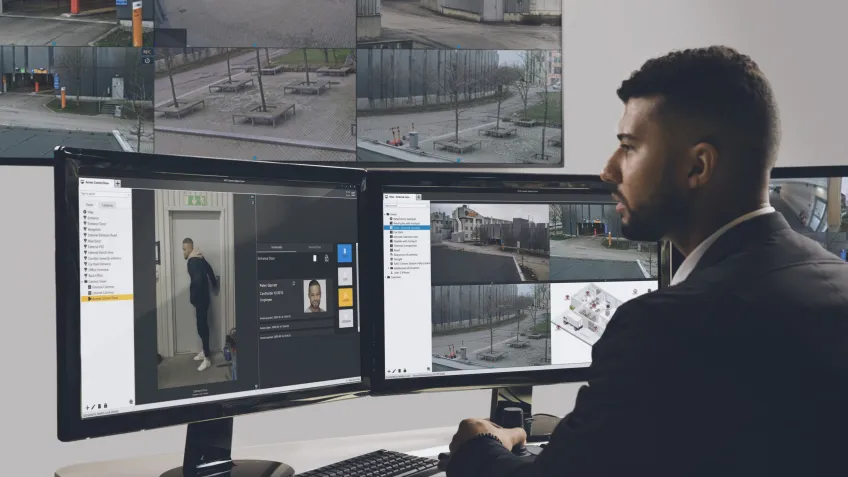
Every credential event is logged: who entered, which door and at what time. That data is genuinely useful.
It helps security teams investigate incidents and gives facilities managers insight into how spaces are used.
As previously discussed, management software surfaces all of this information in real time, so you're never working blindly.
Beyond visibility, a well-configured system also drives operational efficiency. Access can be automated by schedule, so cleaning staff can enter during their shift, and contractor access expires automatically when a job is complete.
When staff move on, you can instantly revoke their access without any manual rekeying. For multi-site organizations, everything is managed from a single centralized platform.
Remote system management lets you monitor activity, adjust permissions, and handle situations such as deliveries, visitor access or emergencies without being on-site.
4. Integrate with other security systems
Access control doesn't work in isolation. Modern commercial building access control systems are designed to integrate with video surveillance, intercoms, alarm systems, and building management platforms.
A door access event can automatically trigger a camera to record, or an alarm can lock down all entry points simultaneously. Integration turns separate security tools into a single coordinated system.
5. Manage access with flexible models and authentication methods
Different areas of a business have different security requirements. An access control system for business lets you apply different rules to different zones. Shared areas can be freely accessible, staff floors card-only, and data centers protected by two-factor authentication.
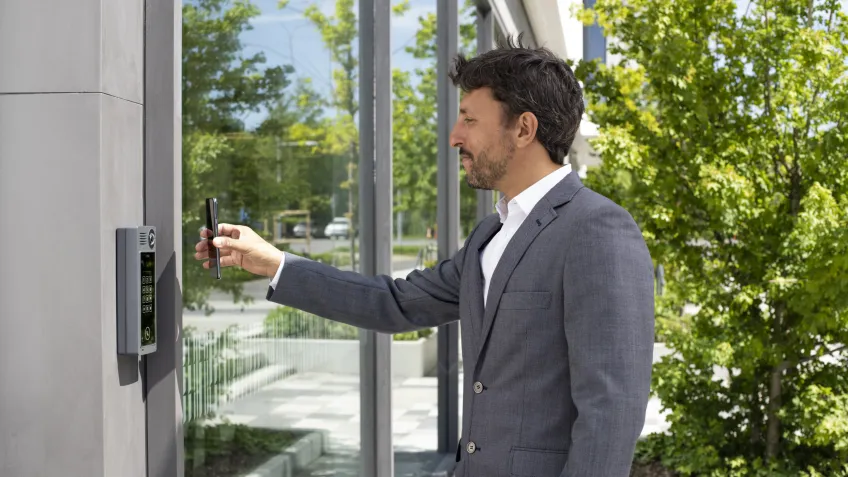
You can also support multiple credential types on the same system, so employees can use a card while contractors use a PIN, without needing separate infrastructure
6. Prevent unwanted access and increase safety
Controlling who enters a space protects everyone inside, not just assets. Tailgating and piggybacking, in which unauthorized individuals follow someone through a secured door, are among the most common ways access control is bypassed in office buildings.
A well-configured system addresses this at the hardware level. In an active threat situation, being able to lock down an entire building from a central console can be critical.
7. Monitor your system remotely
Cloud-based and IP-connected access control systems give administrators full visibility and control from any location.
Whether you're managing a single office or a portfolio of commercial buildings, full visibility and control are always within reach.
This is especially valuable for businesses with multiple sites or a distributed security team. Axis Camera Station Secure Entry is built around this kind of centralized remote management, making it easier to define, adapt, and scale access control as part of a larger security installation.
How to choose the right access control system for your business
There's no one-size-fits-all answer. The right system depends on your building, your users, and your long-term plans.
For small to mid-size deployments, an Axis-centric setup is often the most practical choice. It's straightforward to install, cost-effective and meets the needs of most commercial environments without unnecessary complexity.
Larger organizations with multiple sites or more complex requirements may need a more flexible platform. In such cases, a solution like Genetec provides enterprise teams with the scalability and customization options they need across a broader infrastructure.
Here's how to approach the decision.
Assess your unique security requirements
Start with the workflow. Map out how your building or buildings will be used and how people will move through them in the smartest and most secure way.
Which areas need protection and at what level? Who needs access to what and when?
A small office with ten employees has very different needs from a multi-floor commercial building with restricted labs or server rooms.
From there, you're looking for a system that matches your security risk level and works with your existing door hardware. It should have robust cybersecurity features, integrate with your identity and building systems, and scale easily if you add sites or users.
It also needs to be easy to manage for administrators and end users alike, with predictable long-term costs.
Consider the scalability of the system
Your security needs will evolve. A system that fits today might not fit in three years.
Choose a platform that can scale with your business, adding users, new entry points, or additional sites without requiring a full replacement. IP-based and cloud-connected systems generally offer the most flexibility.
Evaluate the total cost of ownership
The purchase price is just one line item. Factor in installation, maintenance, software licensing, and the cost of managing the system over time. A lower upfront cost can mean higher operational costs down the line.
For a detailed breakdown of what to expect, this guide to the security system’s total cost of ownership is a useful reference.
Plan for professional installation and support
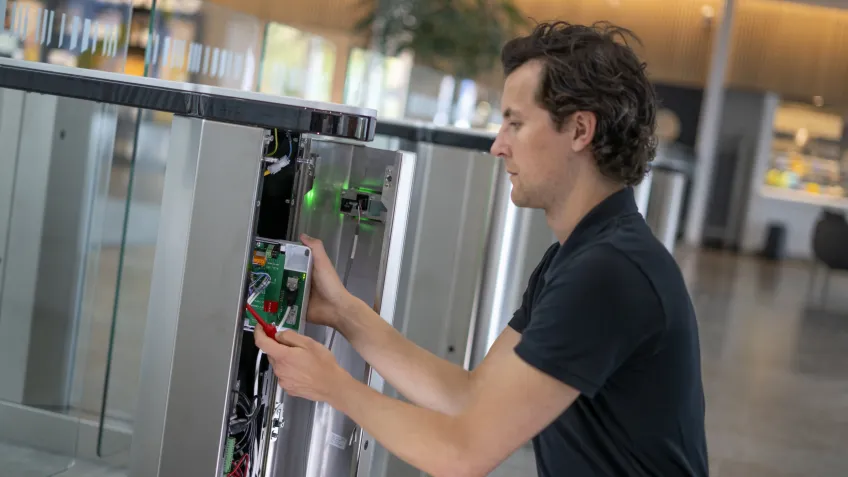
Even the best system performs poorly if it's installed incorrectly. Work with a certified integrator who understands both the hardware and your facility's specific requirements.
Post-installation support matters too. You want a partner who can respond quickly if something goes wrong.
Request a professional security consultation
If you're unsure where to start, a professional security consultation can help you define your requirements, evaluate options, and build a system that suits your budget and risk profile.
Axis partners can provide this guidance and recommend solutions tailored to your specific environment.
Axis commercial access control system in action: Bavarian Red
From keys to cards: replacing a legacy system
The Bavarian Red Cross (BRK) branch in Wunsiedel, Germany, manages multiple locations with a daily flow of permanent employees, volunteers, and visitors.
As critical healthcare infrastructure, the branch's old key-based system no longer met security requirements.
Tracking key ownership was difficult, retrieving keys from departing staff was time-consuming, and controlling access to medication was a serious concern.
A tailored solution built around real needs
Working with integrator ProComp GmbH, BRK deployed AXIS Camera Station Secure Entry alongside ASSA ABLOY's Aperio wireless locks.
The result is a centralized system managing four locations, with access rules set by cardholder, location or schedule. Permissions can be paused during a vacation or removed with a single click when someone leaves.
As Christian Schwarz, Deputy Management at BRK Wunsiedel, puts it: "In our emergency vehicles, blue lights and sirens clear the way for us. The way to reach our vehicles is covered by ProComp's access solution."
Security that scales
Unauthorized access to protected areas and medication is no longer possible. The system is fully traceable, and the wireless setup makes adding extensions across all sites straightforward.
Conclusion
Commercial access control systems do more than lock doors. As we've covered in this guide, they protect people and assets, streamline how businesses manage their spaces, and provide the real-time visibility that modern security operations depend on.
The right system depends on your specific requirements, but the fundamentals remain the same. Understand your security needs, choose a scalable platform, and work with experienced partners to deploy and maintain it effectively.
Whether you're equipping a single office or a multi-site enterprise, a well-designed business access control system is one of the most effective investments you can make in physical security.
