

Traditional video surveillance systems work well enough in simple setups. A handful of cameras, a local recorder, and one person reviewing footage when something goes wrong.
But as organizations grow across multiple sites, the limits show up quickly. Storage fills up, remote access is clunky, and scaling means duplicating hardware at every location.
Cloud-based surveillance takes a different approach. A cameras footage is accessible from any browser, and expanding coverage doesn't require as much new on-premises infrastructure.
It's a meaningful operational shift, though it does introduce dependencies on bandwidth and recurring subscription costs.
Throughout this blog we will guide you through all the things you should take into account when choosing the right set up.
What is cloud video surveillance?
Every business is different, and there's no one-size-fits-all when it comes to infrastructure. That's why there are four main solution options to choose from:
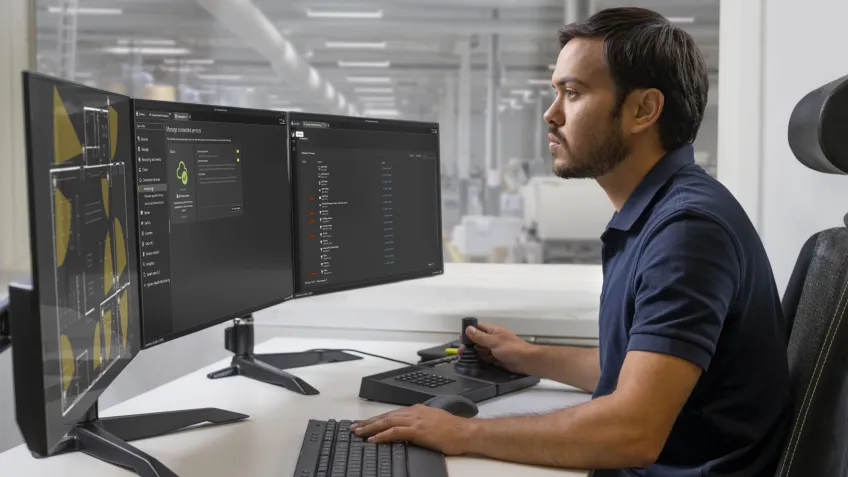
- On-prem: Hardware, servers, and storage are installed and maintained locally.
- Cloud: Software, servers, and storage is hosted by a provider and accessed via the internet.
- Hybrid: Combines on-prem resources with cloud services in a hybrid cloud system.
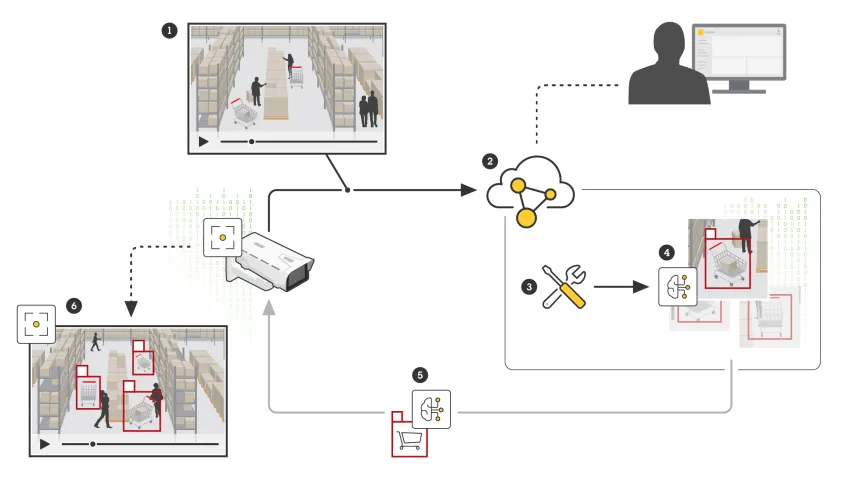
- Edge: The device handles some of the initial processing while the cloud and on-prem set up takes on the deeper analysis, giving you both speed, insight, and save on bandwidth.
Let's walk through each one so you can find the best fit for you.
What is the difference between on-prem and cloud solutions?
A simplified way of thinking about what is on-prem and what is cloud comes down to where the hardware is hosted and who maintains it.
With on-prem, everything sits in your facility. You get total control and every maintenance burden that comes with it. There is also a corporate scaling limitation, where you need more specialized personnel at all on-prem sites.
Cloud hands some of that responsibility to a provider. You connect over the internet and pay a subscription. The difference is on-prem means buying capacity before you need it. Cloud lets you expand on demand.
Most real-world deployments land somewhere in between. A hybrid cloud setup lets you choose which processing and storage is better suited to be on-prem for you, while offloading the rest to the cloud.
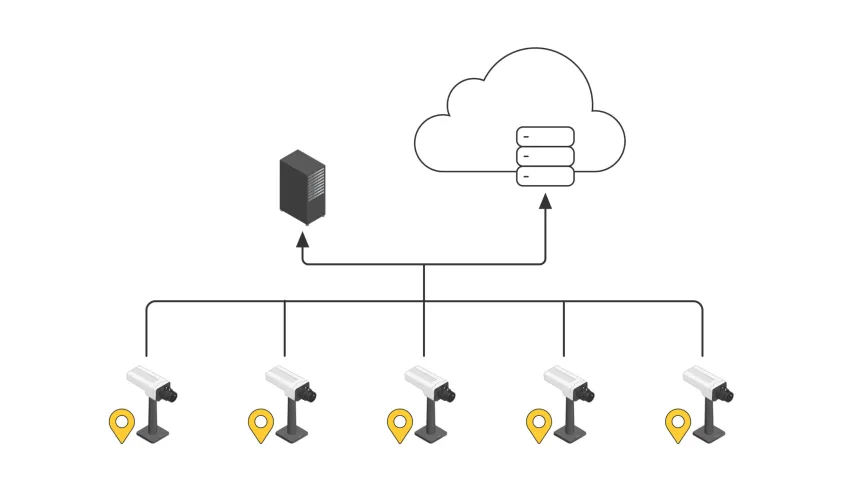
Cloud edge computing goes further. Devices do initial analysis at the source and only push what matters upstream, cutting bandwidth costs without sacrificing analytical depth.
Where hybrid cloud connectivity changes daily work is through access. Cloud-connected systems let managers audit multiple sites from a single video management system, rather than being tied to a control room.
The same applies to cybersecurity. Major providers invest in encryption and compliance certifications at a scale most organizations cannot replicate.
What are the benefits of cloud video surveillance?
If you're used to traditional, on-prem camera systems, cloud video surveillance might feel like a big shift, but it's one that's worth understanding. By moving your video security to the cloud, you’re opening the door to a more flexible way of keeping your sites safe. One that can grow with you and save you money along the way.
Here's what that looks like in practice:
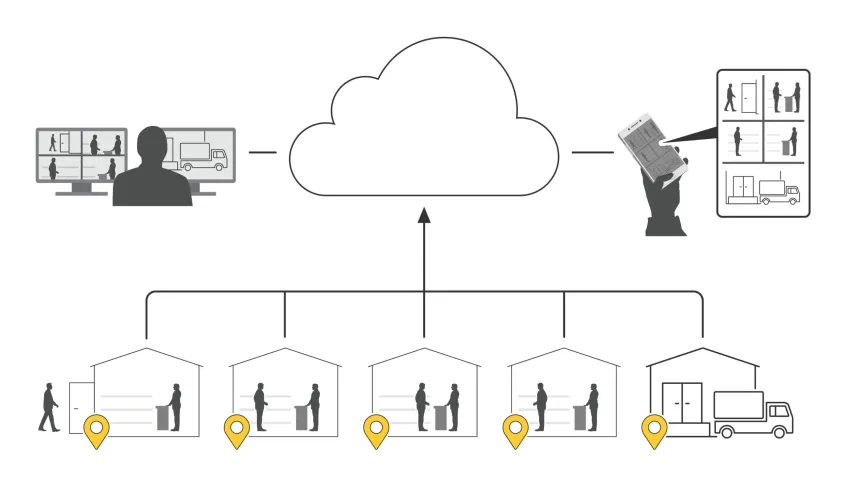
Centralize multisite management and cloud remote monitoring
Instead of balancing separate systems for each location, cloud video surveillance offers multisite management from a single interface.
With cloud remote monitoring, you can check in on any site, update settings, and keep security consistent.
Simplify data storage, sharing, and retrieval
With cloud storage, your video footage is encrypted and backed up across multiple locations. So even if something goes wrong on-site, such as a break-in, hardware failure, or power cut, your recordings are safe and accessible.
Cloud computing eliminates the need to manage complex storage infrastructure or manually expand capacity. You can also find, retrieve, and share footage faster and more easily.
Ensure compatibility and scalable system architecture
A cloud-based video management system (VMS) is inherently scalable. This allows you to upgrade, grow, and add more devices, users, or sites, without costly system redesigns.
Integrate with other security and business systems
Many cloud video surveillance platforms, such as Axis Cloud Connect, are designed to work alongside your other systems. An open architecture allows integration with access control systems, alarm platforms, and business intelligence tools.
Reduce dependence on on-prem hardware
By shifting processing and storage to the cloud, you significantly reduce reliance on expensive on-prem servers and storage equipment. That's less upfront cost and minimizes maintenance requirements.
Improve monitoring and proactive maintenance
Cloud platforms keep an eye on your system around the clock, flagging issues, pushing updates, and running diagnostics automatically. If something needs attention, you'll know immediately, sometimes even before it becomes a problem.
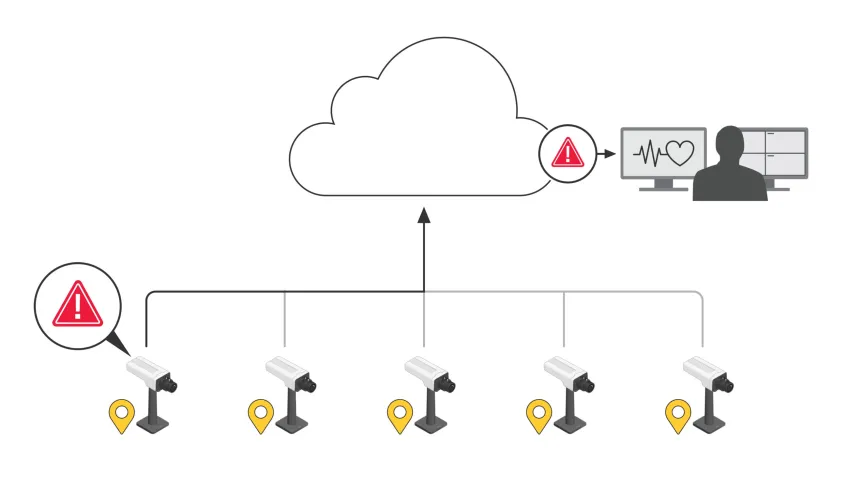
Many organizations further optimize operations by working with cloud service providers, who handle updates, monitoring, and maintenance for you.
Leverage advanced analytics and intelligent insights
Cloud video surveillance solutions can help understand what is happening. With built-in AI tools, your system can detect unusual activity, spot patterns, and give you insights that help you stay ahead of issues rather than reacting to them.
5 limitations and considerations in a cloud system
The five most common limitations and considerations in a cloud-based surveillance system fit into three categories; practical, operational, and strategic. Understanding them helps you design a system that is running on the latest cybersecurity protocols, cost-effective, and reliable.
1. Control cloud costs and ongoing expenses
While cloud video surveillance reduces upfront hardware investment, cloud costs can grow over time due to:
- Video storage retention requirements
- High-resolution or 24/7 recording
- Bandwidth and data egress fees
- Advanced analytics subscriptions
Consideration: Monitor usage, optimize retention policies, and choose pricing models that scale predictably.
2. Strengthen security, privacy, and compliance risks
Cloud systems introduce shared-responsibility security models. Risks include:
- Misconfigured access controls
- Unauthorized user access
- Regulatory non-compliance (GDPR, HIPAA, etc.)
Consideration: Use strong encryption, role-based access control, zero-trust principles, and ensure the provider meets compliance standards.
3. Streamline performance, latency, and bandwidth dependency
Cloud surveillance relies heavily on network quality. Common issues include:
- Latency impacting live viewing
- Bandwidth saturation from continuous video uploads
- Reduced performance during network outages
Consideration: Use edge processing, adaptive streaming, and reliable connectivity to optimize cloud performance.
4. Avoid vendor lock-in
Many platforms use proprietary hardware, software, or storage formats, creating vendor lock-in that makes switching providers difficult and costly.
Consideration: Choose open, standards-based platforms that support third-party devices, APIs, and data export.
5. Optimize operational efficiency and system management
Without proper planning, cloud systems can become complex to manage:
- Poorly designed user roles and workflows
- Lack of visibility into system health
- Inefficient incident response processes
Consideration: Centralized management systems or dashboards, automation, and clear operational procedures improve efficiency.
How to build a successful cloud security strategy
Building a strong and successful cloud security requires people, processes, and technology to work together to provide the most effective protection over the course of the asset's lifetime.
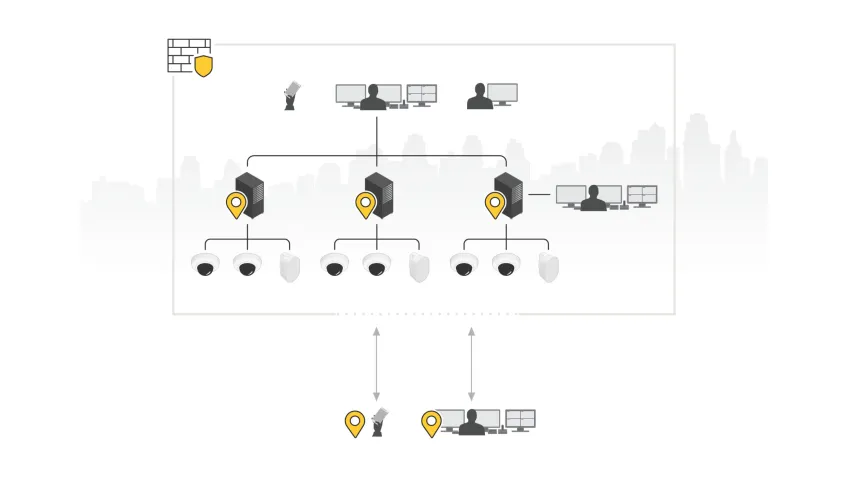
For that solution to work most effectively, there are 5 areas to focus on more closely:
- Share the responsibility
- Employ a zero-trust mindset
- Secure configurations by default
- Protect and classify your data
- Ensure continuous monitoring and improvement
By ensuring each of these steps are followed, you will be in the position to spot and resolve problems early, ensure tight access to only those who need it, and define who owns what.
How to choose the right cloud system
Cloud video surveillance isn't just traditional CCTV with different storage locations. It changes how you manage cameras, process video, scale across sites, and plan for the future.
Get the architecture right and the system grows with you. Get it wrong and you're locked into a solution that can't adapt.
Here are five things to consider before you commit.
1. Evaluate business size and geographic locations
Start with how many sites you have, where they are, and what connects them.
- Number of sites and devices. A 5-site retailer and a 200-site logistics network need fundamentally different architectures
- Geographic spread and time zone coverage
- Available bandwidth. Cloud video surveillance is only as good as the connection carrying the video
- Whether monitoring is centralized, local, or a mix of both
It’s worth remembering that cloud platforms are very effective in multisite environments.
2. Define analytics and intelligence requirements
Every vendor will offer you AI-powered analytics. The question isn't what's available, but what you'll actually use and act on, and how your needs might change in the future.
Having cloud access enables you to have quicker access to more analytics features as they become available, whereas some on-prem analytics might come with longer lead times before they are available.
- What do you need to detect? Motion, object classification, people counting, license plate recognition? Each has different processing and bandwidth demands
- Where should processing happen? Edge, on-prem, cloud, or hybrid
- How do analytics feed into your response workflows? An alert nobody sees is worse than no alert at all
- Can you add capabilities later without ripping out hardware?
Define this early. Retrofitting analytics onto a system that wasn't designed for them can be expensive.
3. Choose an open and scalable platform
This is the decision that's hardest to reverse. A closed, proprietary platform might work today, but it will limit you to only work within that platform.
This means you won’t be able to add another camera brand, or integrate with other solutions such as access control, or switch analytics providers.
- Support for open standards and APIs
- Compatibility with third-party cameras, sensors, and devices
- Ability to scale storage, compute, and analytics independently
- Integration with access control, alarms, and building management systems
4. Assess use of legacy hardware versus upgrades
Most organizations aren't starting from scratch. You've got cameras in place that are five, eight, maybe twelve years old. Some will work with a cloud platform. Some won't.
- Does your existing camera have cloud connectivity?
- Do they support modern codecs (H.265) and current security protocols (TLS 1.2+)?
- What's the realistic remaining lifespan — are you maintaining equipment past the point of diminishing returns?
- What's the cost of keeping them versus the cost of replacing them?
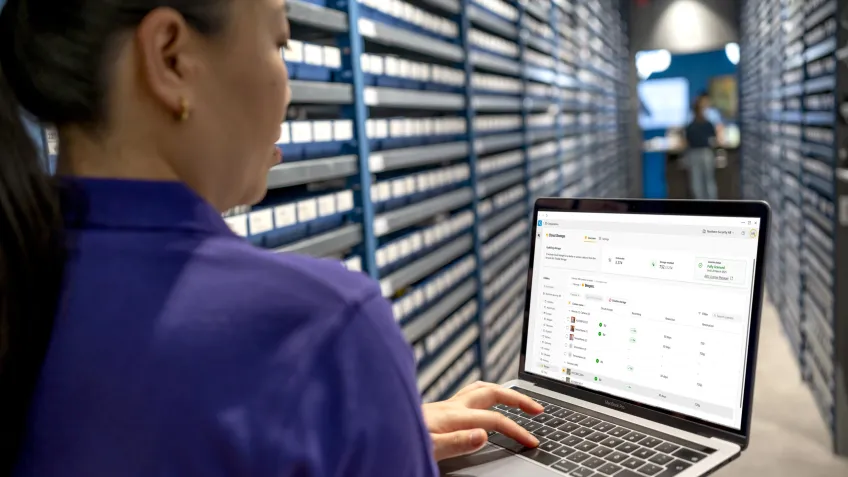
Hybrid approaches, where legacy hardware is gradually phased out while integrating new cloud-compatible devices, can reduce disruption and optimize investment.
5. Assess storage and retention requirements
Video storage is where cloud surveillance costs surprise people. For instance, a single 4K camera recording continuously generates roughly 30–40 GB per day. It’s important to consider:
- How long do you need to retain footage? Compliance requirements (GDPR, PCI DSS, industry-specific mandates) may dictate minimums
- What resolution and frame rate do you actually need?
- Use event-based recording instead of continuous to reduce volume
- What redundancy and disaster recovery does the platform provide by default, and what costs extra?
Consider storage modeling early. The best-designed system in the world isn't useful if you can't afford to keep the footage.
Conclusion
Cloud computing has changed video surveillance. Whether you're connecting a handful of cameras or managing security across dozens of sites, a cloud system gives you the tools to do it without outgrowing your system.
The key is getting the foundations right. Understand how cloud deployment works, build a strategy you can stick with, and take the time to evaluate what you need before you commit.
