

Every building has a weak point. Maybe it's the fire exit propped open. Maybe it's the server room door still using the same pin code it had three years ago. Whatever the gap, traditional locks and keys can't keep up with the threats facing modern facilities.
A physical access control system closes those gaps. It determines who gets in, where they can go, and when, logging every event for audit.
This guide breaks down how these systems work, what components you'll need, and what to look for when choosing one. Whether you're securing a single office or managing access across dozens of sites, we’ll provide a clear picture of what effective physical security can look like in practice.
What is a physical access control system (PACS)?
A physical access control system (PACS) is an electronic security system that admits only authorized people through secured doors and entry points. Unlike a mechanical lock, which accepts any matching key, a PACS verifies identity before deciding whether to unlock a door.
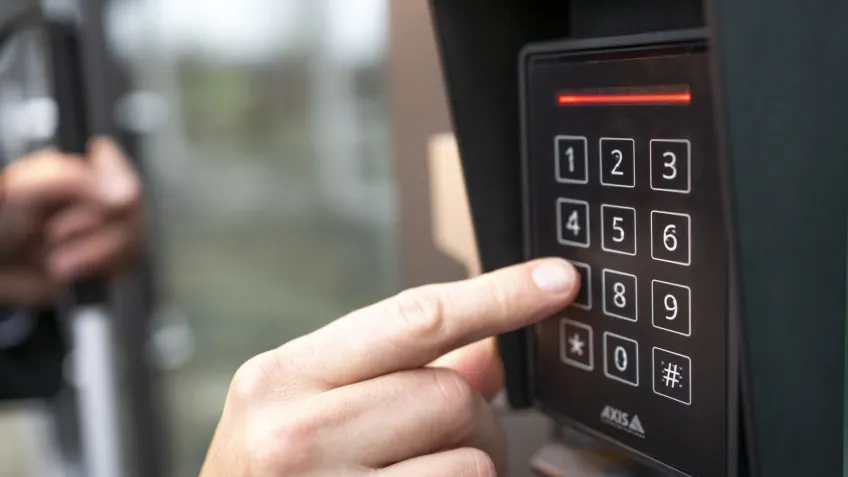
Most interactions take less than a second. Someone scans a badge, taps a phone or enters a PIN, and the system quietly decides whether that person should be allowed through the specific door at that time.
The identity check itself can be performed in several ways. Most organizations use a mix of credential types on the same system. One example is multi-factor authentication instead, such a pin and card.
The same technology can look very different depending on the environment. In an office, it might simply control the main entrance and meeting rooms. In a data center or pharmaceutical facility, every door movement may need to be logged and retained for audit reasons.
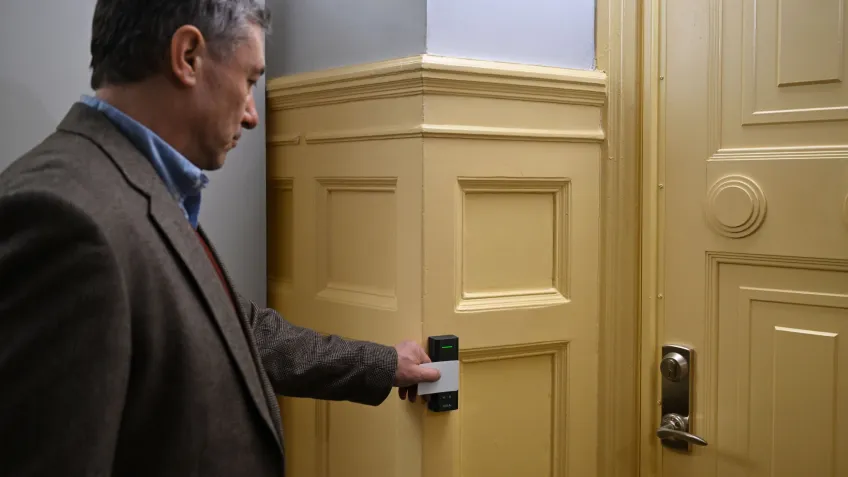
Most of the time, the process happens so quickly that nobody notices. A credential is presented, the system checks the relevant permissions, and a decision is made. If the requirements are met, the door unlocks. If not, it remains closed.
How that decision is made depends on the environment. A residential building may prioritize convenience and use a mobile credential or an intercom. A manufacturing site might require stricter control in hazardous areas. In healthcare, certain rooms may be accessible only to staff during specific hours.
Many organizations also apply different levels of protection within the same facility. Access to the main office may require only a badge. A server room or pharmacy storage area is a different matter and may require multiple factors. A PACS can enforce permissions, but it is only one part of a broader security strategy. Organizations still rely on appropriate doors, barriers, policies, and response procedures to make those controls effective.
The challenge is rarely getting people through the right doors on day one. It is keeping permissions accurate six months later. Organizations rarely stay still for long. Permissions that made sense when they were created often need to be reviewed months later as responsibilities, projects and security requirements evolve. A PACS makes that ongoing work easier by enabling permissions to be reviewed and adjusted as needs change.
Why is physical access control important for modern security?
Every organization has areas that require a higher level of protection than others. These might include a server room, a pharmaceutical storage area, a laboratory, or simply the main entrance outside business hours.

The risks vary as well. Unauthorized access can lead to theft, operational disruption, compliance issues, or safety incidents. Just as often, the challenge is making sure the right people can access the right areas at the right times without creating unnecessary friction for everyone else.
That balance is especially important in large or highly regulated environments. When iXAfrica built its flagship data center in Nairobi, access control was a critical part of the overall security strategy. Every door event needed to be logged, contractor activity monitored, and compliance requirements met. In such environments, access control is not simply about opening and closing doors. It helps organizations demonstrate control over who entered, where they went, and when.
A well-designed access control system supports both security and day-to-day operations by helping organizations:
- Prevent unauthorized access to restricted areas
- Maintain a record of entry events for audits and investigations
- Manage permissions centrally across sites, buildings and departments
- Improve safety, people flow and compliance in regulated environments
The operational benefits are often greater than organizations expect. Keeping permissions up to date is usually harder than setting them up in the first place. Organizations constantly need to account for role changes, temporary projects, and short-term visitors.
Managing those changes through software is far easier than updating locks, replacing keys, or maintaining separate access lists. When permissions can be updated quickly and consistently, organizations spend less time on administration and gain greater confidence that access rights remain aligned with current needs.
The core components of a physical access control system
Access control may seem straightforward from the user's perspective. A door unlocks, a gate stays closed, or a visitor is granted entry. Behind those everyday interactions lies a collection of technologies that work together to evaluate permissions, control entry points, and help organizations manage access over time.
Credentials
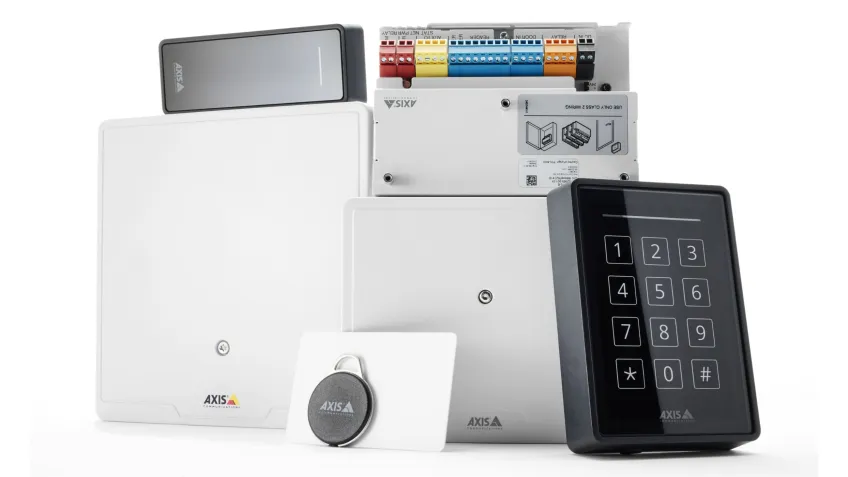
A credential links a person to a set of permissions within the system. For some organizations, that still means an access card or key fob. Others have introduced mobile credentials that can be issued remotely and managed via a smartphone.
The choice often depends as much on convenience as on security. A residential building may prioritize ease of use for residents, while a manufacturing site might require additional authentication before someone can enter a restricted area.
Credentials require ongoing management. Cards get lost, phones are replaced, and access requirements change over time. A well-designed system makes those changes easier to manage without creating unnecessary administrative work.
Card readers
Every access request begins somewhere, and in most cases that means a reader installed at a door, gate, turnstile or intercom.
Different readers support different credential technologies and are designed for different environments. Some are built for outdoor use, while others are optimized for high-traffic entrances where a smooth user experience matters as much as security.
Readers sit at the point where people interact with the system. Their job is to capture credential information and pass it on for evaluation.
Network door controllers
Once the credential information has been collected, the controller determines how the system should respond. Depending on the architecture, a controller may support a single door or manage multiple doors across a facility.
Modern controllers increasingly make decisions locally rather than relying on constant communication with a central server. That approach helps maintain normal operations if network communication is temporarily disrupted and allows policies to continue to be enforced at the door.
Because controllers sit at the intersection of physical security and network infrastructure, they are also a key part of the organization's broader cybersecurity strategy.
Locking hardware
Access decisions are made electronically, but physical security still depends on the hardware at the entry point.
Electronic locks, electric strikes, magnetic locks, gates and turnstiles all serve the same purpose: controlling physical access. The appropriate option depends on the building, the security requirements, and the safety considerations for the site.
In many environments, those decisions involve balancing security with life-safety requirements to ensure that doors function correctly during both normal operations and emergency situations.
Access control management system
The management system allows access control to be maintained rather than simply installed. Security and facilities teams use the software to review events, update permissions and investigate incidents. A change made in the management system can be applied across multiple buildings without anyone needing to visit the doors.
That visibility becomes even more valuable when access control is integrated with video surveillance. When Mulvane Unified School District in Kansas modernized its access control environment, administrators could link door events to video in real time. Instead of switching between separate systems, they could follow an incident as it unfolded and build a clearer picture of what happened.
What are the main types of physical access control systems?
Deciding who should have access is only part of the challenge. Organizations also need a consistent way to manage permissions across buildings, departments, and security requirements.
That is where access control models come in. They define how permissions are assigned, reviewed, and enforced. Most modern physical access control systems support multiple models simultaneously, allowing organizations to apply different approaches to different situations.
- Discretionary access control (DAC): The owner of a resource decides who can access it. This approach works well in smaller environments where decisions can be made locally. As more people become responsible for granting access, maintaining a clear overview of who has access to what can become harder.
- Mandatory access control (MAC): Access rules are defined centrally and applied consistently across the organization. The lack of flexibility is intentional. Organizations use MAC when access decisions need to follow strict rules regardless of who is requesting access.
- Role-based access control (RBAC): Access is determined by the user's role within the organization. Finance staff receive different permissions from facilities staff, regardless of the individual. Most commercial buildings rely heavily on RBAC because it reflects how access is typically managed in practice. Permissions are assigned to roles or departments rather than to individual users, making the system easier to maintain as the organization grows.
- Rule-based access control (RuBAC): Access is determined by predefined conditions rather than solely by the user’s role. An employee may be permitted to enter a building only during business hours, while a contractor's permissions might automatically expire when a project ends. Organizations often layer RuBAC on top of RBAC to add time- or location-based restrictions.
- Attribute-based access control (ABAC): Access decisions are based on a combination of attributes rather than a single rule. A maintenance engineer may have the correct role but still be denied access if the required safety training has expired or the request is outside approved working hours.
In practice, organizations rarely choose just one model. A commercial office might use RBAC as its foundation, apply RuBAC to restrict after-hours access and rely on ABAC for areas that require more granular control. The most effective approach depends on the environment and the level of control required across different parts of the organization.
Conclusion
Physical access control is no longer just about securing doors. Modern systems help organizations balance security, convenience, and operational requirements across a wide range of environments.
